Extension Installed
Welcome to VidPal
You're one step away from recording, editing, and sharing videos effortlessly. Let's get you set up.
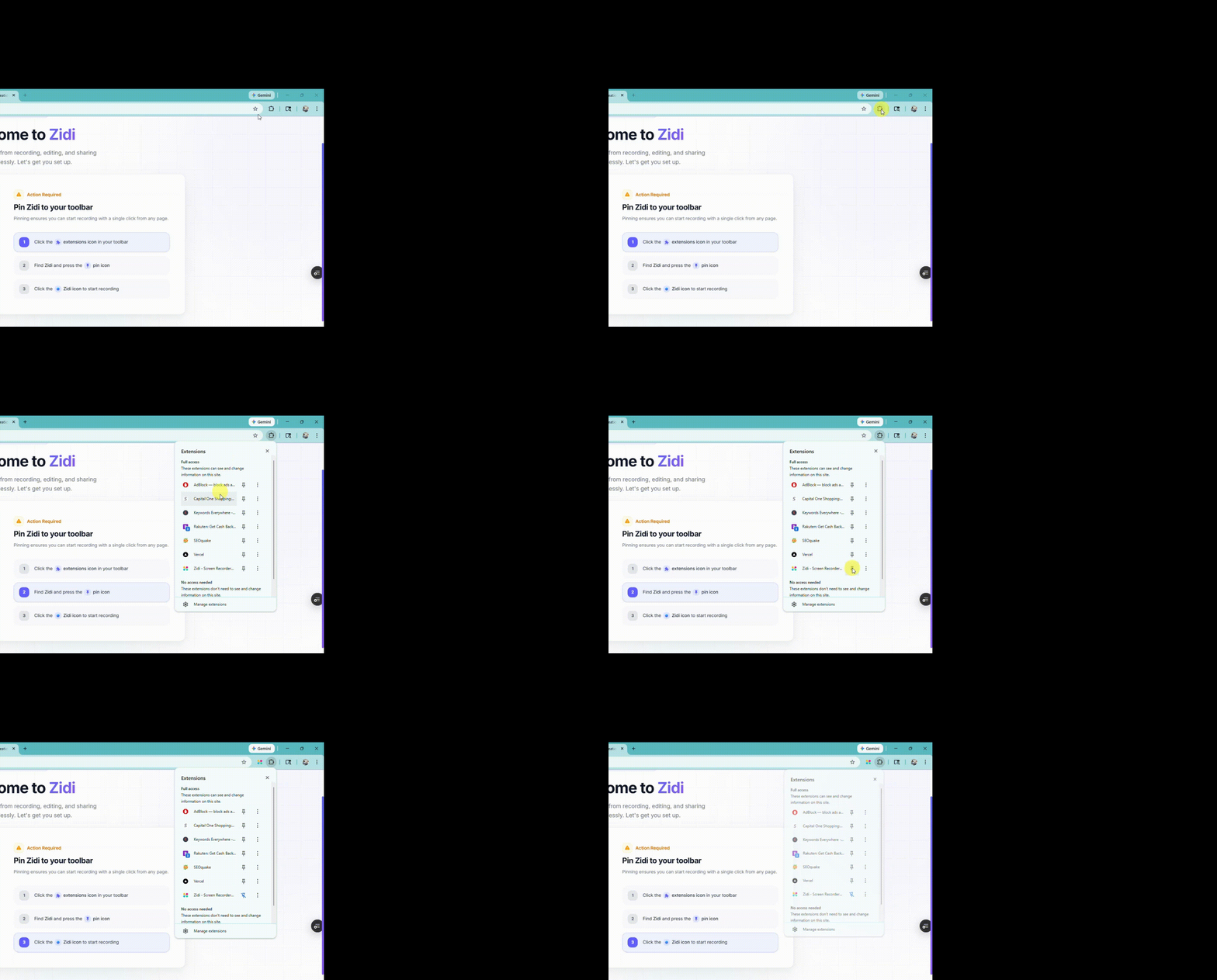
Pin VidPal to your toolbar
Pinning ensures you can start recording with a single click from any page.
1
Click the
extensions icon in your toolbar
2
Find
VidPal and press the
pin icon3
Click the
 VidPal icon
 to start recording
What you can do with VidPal
Screen Recording
Capture your full screen, a specific tab, or a custom region with crystal-clear quality.
Camera Overlay
Add a webcam bubble to your recordings for a personal, engaging touch.
AI Editing Suite
Auto-captions, background removal, smart layouts, and more - all powered by AI.
Instant Sharing
Get a shareable link the moment you stop recording. Share with anyone, anywhere.
Tips & Shortcuts
Alt + Shift + R
ShortcutStart / stop recording instantly with keyboard shortcuts.
Alt + Shift + P
ShortcutPause and resume your recording without starting over.
Pro TipPin the extension to your toolbar so it's always one click away.
Pro TipUse the drawing tools during recording to annotate and highlight.
 Open Dashboard